# VMs and Setup
To properly contain and analyze Malware a proper environment must be setup. To do this I decided on creating 2 air-gapped Virtual Machines to reverse engineer, analyze, and capture traffic of samples. This is not only expandable, it is also easy to revert to previous saved backups.
VM # 1 - Windows 10 with FlareVM
Windows was chosen as the victim machine due to the large volume of malware targeted towards it. FlareVM was chosen to modify the windows install, it pre-bakes many useful tools for analysis and reverse engineering into Windows. It also debloats Windows for slightly better performance while being virtualized.
Static analysis and Dynamic analysis will be done on this machine, and a snapshot of the machine taken after FlareVM was installed.
VM # 2 - REMnux
REMnux is a dedicated distro for malware reverse engineering and analysis. This will act as both a reverse engineering tool and a spoofed DNS server to analyze malicious network traffic. Its ease of setup and Ubuntu base made it a clear choice for the job
Virtual Network
To prevent unintentional infection of devices in my home network I have configured a virtual network so only my two lab VMs can talk to each other and nothing else.
Since originally writing this article I have switched from Virtual Box to QEMU and virt-manager. The new configuration is much easier and maintainable and does not require individual adapter configs. I have left my old configuration here for documentation and presentation sake.
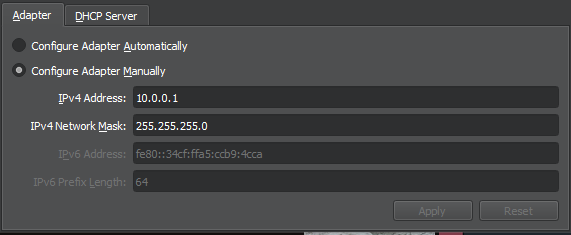
In VirtualBox a Host-Only Ethernet adapter was created to act as my virtual network. It was configured with a custom IPv4 address and custom DNS server address (For the REMnux VM to use).


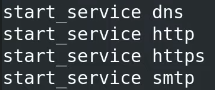
In REMnux the tool inetsim was then properly configured to act as a spoofed DNS server.


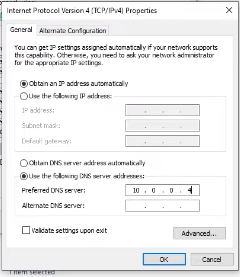
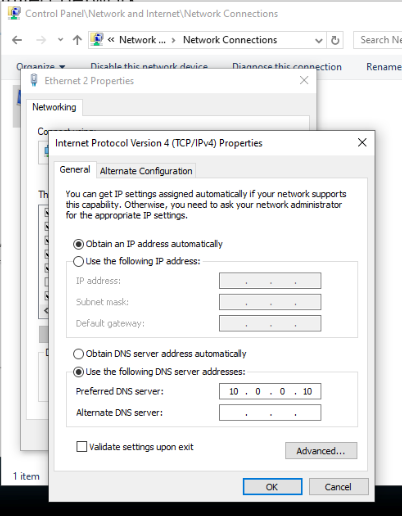
And windows was configured to point at this DNS IP
Once configured a simple ping from each VM to the other was used to verify the network.
My new config consists of a virtual network configured with a static DHCP lease for the REMnux VM. Nothing is forwarded outside of this network isolating both machines from communicating directly with other devices outside this virtual network.
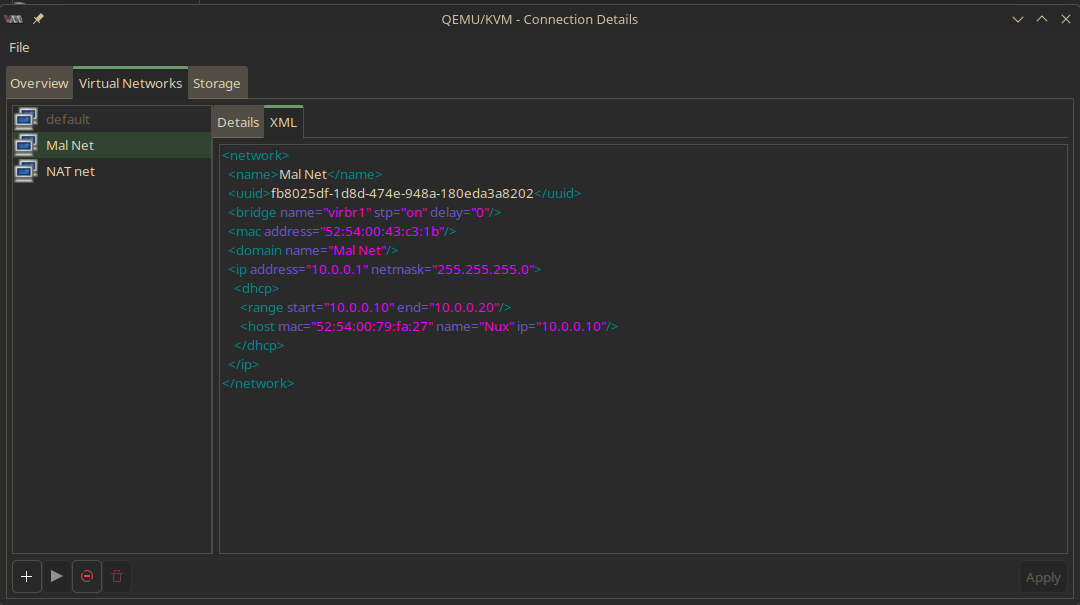
inetsim and the Windows machine are also now configured to mirror these changes in configuration:
dns_default_ip    10.0.0.10

service_bind_address     0.0.0.0
We can then verify our configurations by pinging the other device inside each VM, and also attempting to reach a public IP to verify that nothing is going out. (This can be further verified with a wireshark capture on the host machine)
Sample Collection
Unfortunately I do not have access to a honeypot, or an extensive phisher base knocking at my email address. So I will be relying on open source/community maintained sample libraries. My favorites so far are the following:
https://vx-underground.org/
https://github.com/ytisf/theZoo/tree/master
https://bazaar.abuse.ch/